
I touched on my favorite new AR Mobile Robotics feature in my last blog post. However, with that being a boilerplate release note, I don’t think it shined a bright enough light on what I think is one of its most important contributions thus far to the robotics simulation community, the ARMOR Robot Gallery. The gallery is my very own, curated set of URDF models (and XACRO variants), which I have personally verified to be in complete working condition. In this case, working condition means that they load successfully using the custom parser in ARMOR, and in most cases, ready-to-simulate. In cases where they’re not quite ready to simulate, the ARMOR app also includes some built-in error-checking and correction.
The gallery comes in two flavors, (1) via the website, where you can search for robot URDF models, view their thumbnails, and read their descriptions, and (2) natively inside the app by tapping the load button. All of the entries in the gallery link back to the GitHub repositories and/or website of the originator of the project, meaning the robot’s vendor (corporate entities like Boston Dynamics, Unitree, ABB, etc), universities (California Berkeley, Stanford, MIT), or individual builders.


All of this stands on the shoulders of the great robotics development community, those who have generated the methods and source files on which the robot gallery, and the ARMOR app itself, are built. This includes Open Robotics, the creators of the Robot Operating System (ROS) and URDF, industry giants like Universal Robots, FANUC, Franka, and others that publish their own URDF models and code, and the rich open source community that aggregates these models.

You can see a longer list of my sources for the ARMOR Gallery on its docs page. My intent is to give credit where due, including linking to the source for the URDF models and abiding by their license terms, while giving a simple gateway into simulating the robot kinematics on your iPhone. Also, a few pretty thumbnail graphics, to boot.
The Manifest and Deep Links to URDF Models
My primary goal with the gallery is to shorten the distance between finding a cool robot, and importing it onto your iPhone. For that purpose, I added the green deep links.

If you tap one of these, links, you’ll immediately see a warning message, saying that the website wants to open ARMOR, which is the associated app. This is by design! The deep link packs a JSON manifest, which tells the app all it needs to start downloading the URDF and its assets.

The URDF models are always downloaded from the originator’s repository on GitHub, which you can check out by tapping the View Source link.
Thumbnail Generation with Three.js
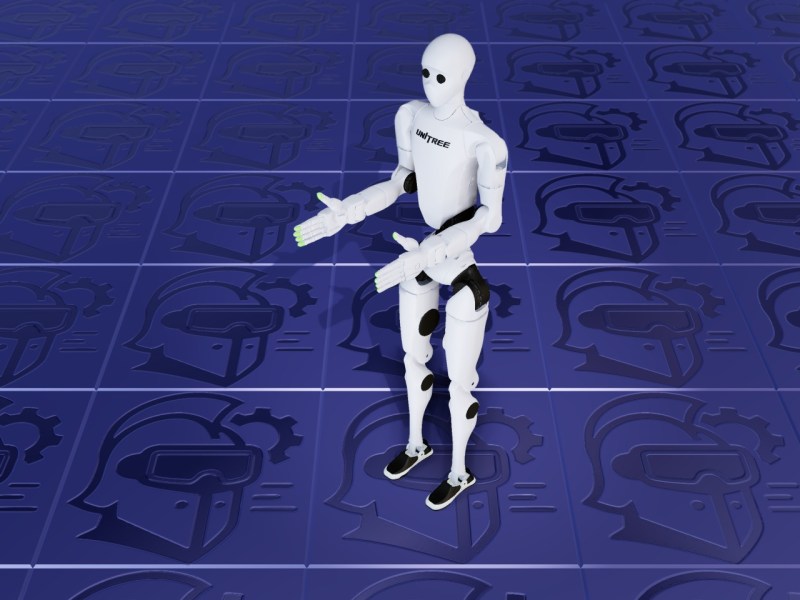
A custom touch that I added to the ARMOR gallery are the screenshots that accompany each of the URDF models. These are rendered in Three.js, with a custom lighting rig and background scene that I created in Blender. That background scene is a set of 1 meter square tiles, with the ARMOR app icon embossed via normal and roughness mapping. There is also an environment mapping via image based lighting, and ambient occlusion, to lend realistic shading to the rendered robots.


Automated Inertia and Controller Calculations for your URDF Models
My previous post was release notes for ARMOR version 1.1, however, I’ve actually publish two minor releases since then, pegging the current version on the App Store at 1.1.2. I’m saving up updates for a larger post for the upcoming 1.2 release, but in the meantime, there are two features I will announce here. These are the automatic mass properties and controller properties, which are now available in the editor.
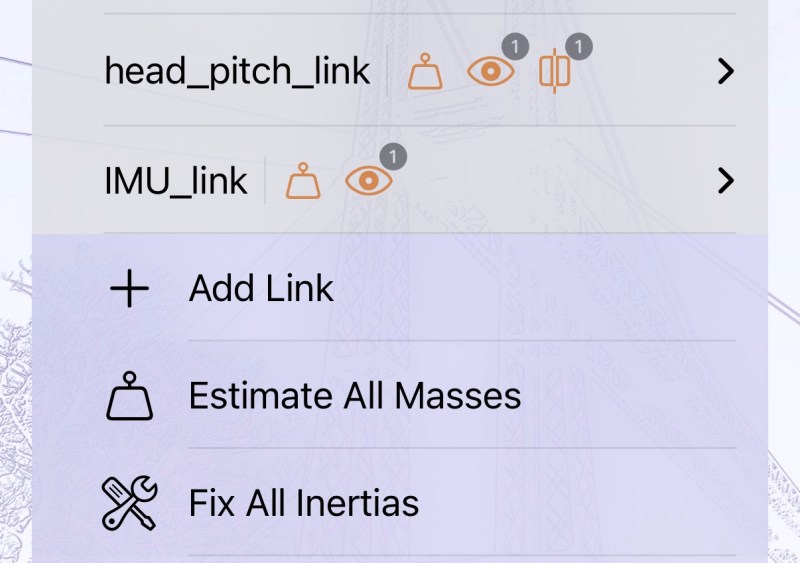

The mass properties calculation works on the actual 3D geometry. It automatically splits the mesh object into a set of tetrahedrons, and performs local inertia calculations on each of these, before summing up over the entire body using the parallel axis theorem. You have the option to choose between basing this calculation off of the high-fidelity visual representation, or falling back to the simpler collision body, or even primitives.
Controller properties are based around finding an appendage inertia, which is the sum of all bodies connected to the free side of the joint in question. A default time constant (or natural frequency) is selected for that appendage, and used to select proportional and derivative gains.
In a future blog post, for the upcoming release of ARMOR v1.2, I will discuss these features in detail, and the embedded help system that is currently in development. Keep watching this blog for more details!
A Re-emergence of one of DC-Engineer’s Greatest Hits, the BB25
Before I ever completed the MuJoCo simulator integration in ARMOR, I wanted to create a simplified version, and came up with my BB25 mini-project. This came with its own tutorial, right here on the blog. This is my Blender recreation of the Parallax Boe-Bot, with added inertia and kinematics wired into MuJoCo.

Now, with the ARMOR Gallery, you can load a Boe-Bot into ARMOR, and simulate it with multiple objects in augmented reality.
AR Mobile Robotics, Improving All-the-time
Since publishing ARMOR to the App Store about 3 months ago, I have been working on a variety of refinements and feature expansions, many of which you can read about in the links below. The latest, which is the creation of the ARMOR robot gallery, is one of my favorites, as it reduces the number of steps between searching for robot URDF models and loading them into a simulation environment. I hope you’ll go visit the ARMOR page on the App Store, and try it yourself on iPhone or macOS.
Check out more posts about ARMOR
- Gallery Deep Links, Native Xacro Support, and ROS 2 Control Actuators; ARMOR v1.1 Release Notes
- ARMOR Arrives on Mac with Native MuJoCo Simulation Across All Your Apple Devices
- Multi-Robot MuJoCo Worlds on iOS — ARMOR is Live on the App Store!
- URDF to MuJoCo Export & Simulation Worlds — ARMOR v0.12 Release Notes
- Universal 3D Model Export to USDZ, GLB, DAE, OBJ, and STL — ARMOR v0.11 Release Notes
- Native SRDF Editing on iOS and Robot XML Export – ARMOR v0.10 Release Notes